4.2 OUT OF 5 ★★★★☆ WORTH A TRY | THE SHORT VERSION indown.io is a free, browser-based tool for saving Instagram videos, reels, photos, stories and a few other formats without making an account or installing anything. In testing it handled the everyday stuff quickly and cleanly. The friction shows up around ads on some landing pages, the occasional dead link when Instagram shifts its format, and the legal gray area that follows any downloader around.
|

4.6/5 IOS APP STORE | 271 APP RATINGS | 99/100 TRUST SCORE | 0/92 ANTIVIRUS FLAGS | 2022 LIVE SINCE |
What it is, and what it isn’t
Strip away the marketing and indown.io is a single-purpose web utility. You paste a public Instagram link, it pulls the media, you save the file. No browser extension, no desktop install, no signup.
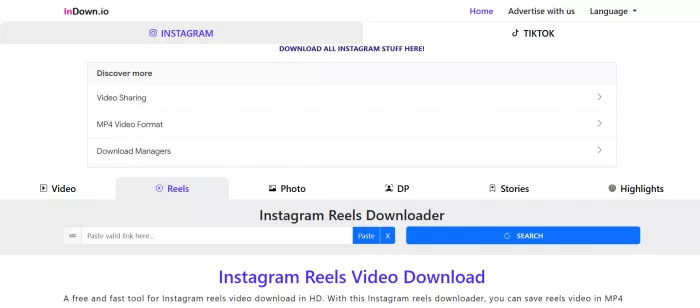
Because everything happens in the browser, the experience is the same whether you open it on a laptop or a phone. There is an optional iOS app if you want a shortcut, but the website covers the same ground on its own.
A few things it is not, worth saying up front so expectations land in the right place:
• It is not an official Instagram product and has no connection to Meta. Treat any claim otherwise as a red flag.
• It is not a content library, scheduler or analytics tool. It fetches and saves, full stop.
• It is not built for bulk operations. There is no queue, no batch import, no command line for power users.
What you can actually download
The format support is the broadest part of the offering. Across its various pages, indown covers most of what people try to save off Instagram:

• Videos & IGTV. Feed videos and longer clips, pulled at the resolution Instagram served them.
• Reels (no watermark). The headline use case. Reels come through clean, without the app’s overlay.
• Photos. Single images in full quality, no compression added on top of the source.
• Carousels. Multi-image posts. Each slide downloads on its own rather than as one bundle.
• Stories. Public stories before they expire, saved at their original size.
• Highlights. Saved story collections from public profiles, one clip at a time.
• Profile picture. Full-size DP grab, handy when the in-app thumbnail is all you can otherwise see.
• Audio. Pull the sound from a reel or video when the track is what you are after.
The site also advertises a separate tool for private and country-restricted content. I would treat that one with real caution, and I get into why further down.
The hands-on test
Ratings are one thing. Here is what happened when I ran a batch of public links through it myself, on desktop Chrome and an Android phone, across the formats most people care about.
The workflow never changed: copy a link, paste it, hit the button, save. The variable was how each content type behaved once it hit the fetcher.
| CONTENT TYPE | WORKED? | WAIT | QUALITY | NOTES |
|---|---|---|---|---|
| Reel | Yes | ~3 sec | Matched source | Cleanest result. No watermark, instant grab. |
| Single photo | Yes | ~2 sec | Full res | Exactly what you would expect, no fuss. |
| Carousel (5 images) | Yes | ~4 sec | Full res | Five separate files, so a few extra taps. |
| Story | Yes | ~3 sec | Original size | Fine for public profiles while still live. |
| Older reshared video | 2nd try | ~6 sec | Good | Failed once, worked after a refresh. |
| Profile picture | Yes | ~2 sec | Full size | Bigger than the in-app view, as promised. |
What stood out
•Reels and single photos were the most dependable, ready in a few seconds with quality that lined up with the original.
•Carousels hand you each image separately instead of one packaged download, which works but means clicking through every slide.
•A couple of older or reshared links stalled on the first attempt and went through after a refresh, which tracks with how these tools cope with Instagram’s frequent format tweaks.
The one consistent irritation was not the downloads, it was the path to them. Some entry pages carry display ads and route you through a redirect or two before the file appears. Nothing I would call malware, just the standard cost of a free service. An ad blocker smooths most of it out.
Is it safe to use?
This is the question everyone actually types into the search bar, and the honest answer leans positive.
Independent scanners give indown.io solid marks, and the design avoids the worst habit in this category, which is asking for your login.
• GridinSoft scanner: rates it 99/100 and flags it as legitimate.

• MalwareTips: zero detections across 92 malware and blocklist engines, with a domain history going back to July 2022.
• Companion iOS app: 4.6 out of 5 across 271 ratings.
The common-sense rules still apply. Never enter your Instagram credentials on any third-party downloader (indown does not ask for them on standard downloads, which is the correct call), keep an ad blocker running for the ad-supported pages, and stick to public content.
One honest piece of dissent: at least one automated scam-detector site tags it as problematic. Those services run on heuristics and routinely contradict each other, so I weigh a clean sweep across 92 antivirus engines and a 4.6 app rating far more heavily than a single automated verdict. If you are cautious by nature, that mixed signal is fair to keep in mind.
What reviewers and communities say
Feedback for a free utility scatters across different platforms than you would check for paid software. Here is where the real signal lives, and where it doesn’t.
Apple App Store ★ 4.6 / 5 · 271 ratings | The strongest single data point by a wide margin. The companion iOS app holds a high score across a few hundred ratings, with the recurring praise being speed and not having to log in to grab a clip. |
Sitejabber ★ 4.0 / 5 · small sample | Positive, but built on only a couple of reviews, so read it as directional rather than definitive. The sentiment that does exist centers on a smooth photo and video download flow. |
Trustpilot Profile live · 0 reviews | The brand has a Trustpilot page, but no one has reviewed it yet. There is nothing to weigh here for now, which is worth knowing if you go looking and find an empty profile. |
Reddit & communities Mixed, themed | In the subreddits where people compare downloaders, the themes are predictable. Users like browser tools that skip the login and the watermark, and they complain loudly when a tool breaks after an Instagram update or hides the button behind ads. indown lands on both sides of that pattern. |
G2 & Capterra Not listed · here’s why | Those directories catalog paid business software, so a free consumer downloader like indown is not listed on either. If you stumble onto a page claiming indown.io reviews on G2, be suspicious of it. For tools in this category, app stores, review aggregators and security scanners are the realistic places to check. |
Where it wins, where it drags
WORKING IN ITS FAVOR • Free, with no account and nothing to install • No watermark on the bulk of downloads • Wide format range: reels, photos, stories, highlights, audio, DP • Runs on any device straight from the browser • Clean security scans and a strongly rated app | WORKING AGAINST IT • Ads and redirects on some landing pages • Occasional dead links after Instagram format changes • Carousels save image by image, not as one file • The private-content feature is a legal and privacy minefield • No bulk or batch downloading for heavy users |
Who it’s really for
The fit is narrow but clear. If you save a handful of reels or photos a week, want the watermark gone, and refuse to install yet another app, this is squarely built for you. The moment your needs turn into routine, high-volume archiving, a folder of stories pulled every day, or anything that needs to survive every Instagram update without a hiccup, you will start feeling the ceiling. That is not a knock on indown so much as a description of what a free, browser-based tool can reasonably promise.
How it compares
It helps to know where indown sits among the usual names, since the right pick depends entirely on how you download:
• SaveFrom.net has been around since 2008 and covers far more than Instagram, with an optional browser extension. Reach for it if you pull content from several platforms and want one catch-all.
• Mobile-first savers like SnapSave lean into speed on a phone. Useful if almost all your downloading happens on the go and you want the fewest taps possible.
• Desktop apps and API tools (the 4K Video Downloader class, or service-based options) are the upgrade path for volume, queues and reliability under load. That is overkill for casual saving, and priced accordingly.
indown’s deliberately narrow, Instagram-only focus is also why its core flows feel tuned rather than generic. For one-off saves, that simplicity is the whole point.
How to use it in under a minute
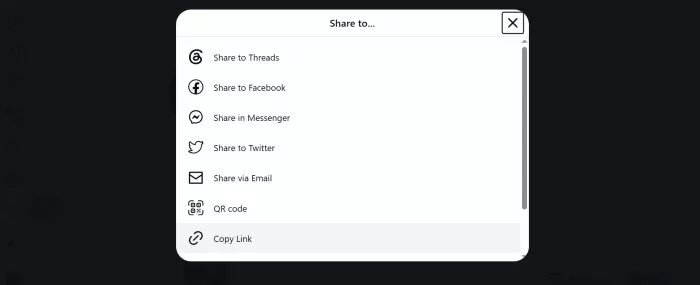
1. Copy the link. On Instagram, open the post, reel or story, tap the three-dots menu and choose Copy link.
2. Open indown.io. Head to the site in any browser. Double-check the address, since popular tools attract copycat domains.
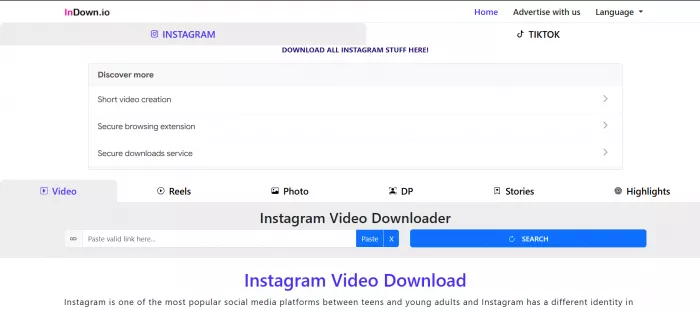
3. Paste and fetch. Drop the link into the box and hit the download or search button. It syncs the media in a few seconds.
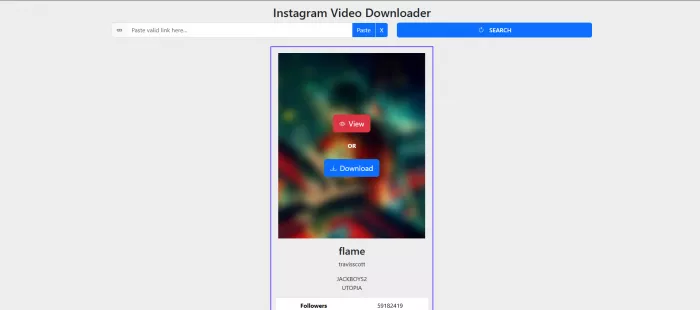
4. Save the file. Pick a quality option if you are offered one, then download. It lands in your gallery or downloads folder.

A word on the legal and ethical side
READ THIS BEFORE YOU DOWNLOAD ANYTHING Downloaders sit in a gray area, so it pays to be clear-eyed. Saving a public reel to rewatch offline is one thing. Re-uploading someone’s work as your own, or pulling private and protected posts, is another thing entirely. A few ground rules keep you on the right side of it: • Download for personal use, and credit or get permission before you repost anything. • Stay away from private, age-restricted or paywalled content you were not given access to. That can break Instagram’s terms and cross into privacy and copyright trouble. • Creators keep the rights to their work. A saved file does not transfer ownership to you. indown itself frames the service as being for personal, educational use and not affiliated with Instagram or Meta, which is the right framing to keep in mind. |
THE BOTTOM LINEA genuinely handy tool for everyday saving, with a couple of rough edges you can work around. If you want to grab the occasional reel, photo or story without signing up or installing a thing, indown.io does that job well, and the safety signals back it up. It is held back by ad-supported pages, the odd broken link, and a private-download feature best left alone. Heavy or professional users will outgrow it, but for everyday saving it earns its place. 4.2 OUT OF 5 · quick, free, and worth keeping bookmarked |
Comments